Bitcoin Cards With ATM Withdrawals
Documented cash access: method (card + PIN vs contactless wallet), fees, free allowances and daily limits.
cards on this page: 28 · issuing today (excl. watch list): 25 · verified or reported facts: 57% · direct on-chain BTC top-up: 7
quick picks
- the best overall bitcoin card for ATM withdrawals ether.fi Cash - 7.6/10 with $1,000/withdrawal, tiered free monthly allowances and both cash paths documented.
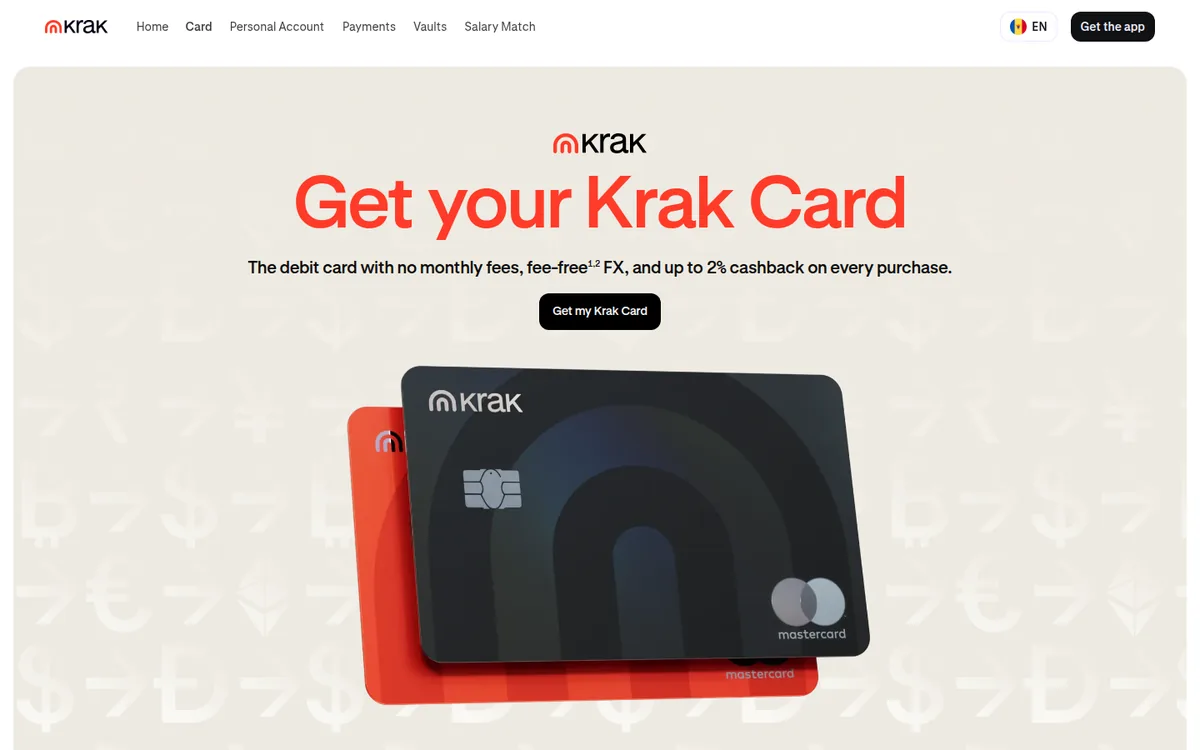
- cash with no card-side ATM fee Krak Card (Kraken) - Krak charges nothing for ATM withdrawals - only third-party operators may, and they show the fee on screen.
- cash with Fold+ and BTC rewards Fold Bitcoin Debit Card - $3.50 ATM fee waived on Fold+; the card spends your cash balance while bitcoin stays invested.
Short answer: Fold, ether.fi Cash and Krak Card are the strongest documented cash-access bitcoin cards. Every entry here has ATM withdrawal capability quoted from an operator source we fetched and dated - cards without documentation are excluded even if they ship plastic.
| # | Card | Bitcoin in | BTC sold | KYC | Monthly | Cashback | Pay & Cash | Score | |
|---|---|---|---|---|---|---|---|---|---|
| 1 |  ether.fi Cash BTC-backed credit |
On-chain | You decide | Basic | $0 | 3% (ETHFI) | Apple Pay Google Pay ATM | 7.8 | Visit |
| 2 |  Freedomia Direct BTC top-up (on-chain) |
On-chain | At top-up | None | $5 | – | Google Pay ATM | 7.3 | Visit |
| 3 |  KAST BTC via in-app conversion |
In-app swap | – | Full | $0 | 1.5% (USD) | Apple Pay Google Pay ATM | 6.8 | Visit |
| 4 |  Bitpanda Card BTC via in-app conversion |
In-app swap | – | Full | $0 | 1% (EUR) | Apple Pay ATM | 6.6 | Visit |
| 5 |  Cash App Card BTC via in-app conversion |
In-app swap | You decide | Full | $0 | 5% BTC | ATM | 6.6 | Visit |
| 6 |  Krak Card (Kraken) BTC via in-app conversion |
In-app swap | Per transaction | Full | $0 | 2% BTC | Apple Pay Google Pay ATM | 6.6 | Visit |
| 7 |  Revolut BTC via in-app conversion |
In-app swap | Per transaction | Full | $0 | – | Apple Pay Google Pay ATM | 6.5 | Visit |
| 8 |  Bybit Card BTC via in-app conversion |
In-app swap | – | Full | $0 | 2% (USDT) | ATM | 6.3 | Visit |
| 9 |  Fold Bitcoin Debit Card BTC via in-app conversion |
In-app swap | Per transaction | Full | $0 | 0.25% BTC | Apple Pay Google Pay ATM | 6.2 | Visit |
| 10 |  Bitget Card BTC via in-app conversion |
In-app swap | – | Full | $0 | 2% (token/fiat) | ATM | 5.5 | Visit |
| 11 |  Xapo Bank Direct BTC top-up (on-chain) |
On-chain | – | Full | $83.33 | – | ATM | 5.4 | Visit |
| 12 |  CoinZoom ZoomMe Card Direct BTC top-up (on-chain) |
On-chain | At top-up | Full | $0 | 0.5% (ZOOM) | ATM | 5.1 | Visit |
| 13 |  KuCard BTC via in-app conversion |
In-app swap | – | Full | – | – | Apple Pay Google Pay ATM | 5 | Visit |
| 14 |  Nuri Direct BTC top-up (on-chain) |
On-chain | – | Basic | $0 | – | Apple Pay Google Pay ATM | 3.2 | Visit |
| 15 |  Bybit EU Card BTC via in-app conversion |
In-app swap | – | Full | $0 | 1% BTC | ATM | n/a | Visit |
| 16 |  Coinbase Card BTC via in-app conversion |
In-app swap | Per transaction | Full | $0 | – | Apple Pay Google Pay ATM | 6.4 | Visit |
| 17 |  Nexo Card BTC-backed credit |
In-app swap | – | Full | $0 | 2% BTC | Apple Pay Google Pay ATM | 6.2 | Visit |
| 18 |  Crypto.com Visa Signature Credit Card BTC via in-app conversion |
In-app swap | – | Full | $0 | 1.5% BTC | ATM | 6.1 | Visit |
| 19 |  Crypto.com Prepaid Visa Card BTC via in-app conversion |
In-app swap | – | Full | $0 | 1.5% (CRO) | ATM | 5.9 | Visit |
| 20 |  Goblin Card Direct BTC top-up (on-chain) |
On-chain | – | None | $0 | – | Apple Pay Google Pay ATM | 5.9 | Visit |
| 21 |  Gemini Credit Card Earns BTC cashback |
No BTC in | – | Full | $0 | 1% BTC | Apple Pay ATM | 5.2 | Visit |
| 22 |  Wirex BTC via in-app conversion |
In-app swap | – | Full | $0 | 8% (USD) | ATM | 5.2 | Visit |
| 23 |  Uphold Card BTC via in-app conversion |
In-app swap | – | Full | $0 | 4% (XRP) | Apple Pay Google Pay ATM | 4.6 | Visit |
| 24 |  RedotPay BTC via in-app conversion |
In-app swap | – | Full | $0 | – | Apple Pay Google Pay ATM | 4.5 | Visit |
| 25 |  Vivid Money BTC via in-app conversion |
In-app swap | – | Full | $0 | 4% (token/fiat) | Apple Pay Google Pay ATM | 4.5 | Visit |
| 26 |  Gate Card BTC via in-app conversion |
In-app swap | – | Full | – | 8% (points (redeemable for USDT or GT)) | ATM | 3.2 | Visit |
| 27 |  Ledger CL Card Direct BTC top-up (on-chain) |
On-chain | Per transaction | Full | $0 | 1% BTC | Apple Pay Google Pay ATM | n/a | Visit |
| 28 |  Shakepay Card Earns BTC cashback |
No BTC in | – | Full | $0 | 1% BTC | Apple Pay Google Pay ATM | n/a | Visit |
<p>Cash access is the feature many bitcoin card buyers assume comes free with plastic - and the one operators most often leave undocumented. This page only lists cards whose operator documents ATM withdrawals, with the method spelled out. 28 of the tracked bitcoin cards pass that evidence bar. 61% document Apple Pay and 57% Google Pay - the wallet lists live separately at Apple Pay and Google Pay.</p>
The three paths to cash
Path A is the classic: physical card at the machine, PIN set in the operator's app. Fold's cardholder agreement prices it at $3.50 per withdrawal - waived on the Fold+ subscription [3]; Coinbase documents that the card "automatically convert[s] all cryptocurrency to US Dollars for use in purchases and ATM withdrawals" [4]; Cash App's card agreement (archive) shows $2.50 in- and out-of-network [5]; Shakepay documents physical-card withdrawals at participating ATMs with a $500/transaction, $1,000/day limit [6].
Path B matters for virtual-only cards: the card token sits in Apple Pay or Google Pay and is tapped at an NFC-enabled ATM. Freedomia's FAQ answers the withdrawal question affirmatively for contactless ATMs [7]; Exa documents the whole flow - phone wallet open, tap, PIN from the app, $250 cap, four per day [8]. This path is how a card with no plastic still gets you cash - and it inherits the wallet gate: a rooted Android device cannot play.
Path C - cash-advance treatment - shows up on credit products, where the ATM withdrawal is priced as a loan: fixed fee or percent, plus interest from the transaction date. The register's fee table flags those cards; they are the most expensive documented cash in this comparison.
What the fees stack up to
The card-side fee is the only part the operator sets. ~2% is the median across tracked cards - but the number that matters is your own program's allowance and the sale timing behind the withdrawal. A card that converts at load (Fold's cash balance, Coinbase's USD conversion) has already paid its conversion fee by the time you tap; a card that converts per transaction realizes bitcoin at the machine, and the spread applies then. The sale-timing guide explains the difference - and the tax form it produces.
Limits have two axes and they fail differently. The per-withdrawal cap decides what a single machine hands out; the daily or rolling cap decides whether you can repeat it. Ether.fi's five attempts per rolling 24 hours sum to a $5,000 ceiling [1]; Shakepay's $1,000/day limit is the binding constraint long before its $500 per-transaction cap [6]. When you plan a larger withdrawal, the per-withdrawal number is almost never the binding one - the attempt budget is.
What cash withdrawal does to your bitcoin stack
The withdrawal itself is the end of a chain the register tracks column by column. Take a card that sells per transaction: the tap at the ATM is the moment your bitcoin becomes dollars, at the operator's documented conversion rate and spread - and for US taxpayers, a disposal to record per the IRS FAQ [9]. Take a card that converts at load: the sale happened when you loaded, the ATM hands out dollars you already own, and the withdrawal is only a logistics step. The third pattern - "manual" timing, where you choose when to move bitcoin to the card balance - puts the sale entirely in your hands and keeps the ATM as pure logistics. Which pattern a card runs is documented on its review page; the wallet and ATM features never change it.
Practical consequence: on convert-per-transaction cards, an ATM withdrawal combines the conversion spread, the card's ATM fee and the machine's surcharge into one receipt with three layers - and a tax line. On load-time cards it is one fee plus the surcharge. The fee calculator models the ATM layer against your monthly withdrawal count; the sale-timing layer sits in the dedicated guide.
| Card | Wallets | atm_method | ATM | Monthly | BTC sold | FX | KYC | Status |
|---|---|---|---|---|---|---|---|---|
| ether.fi Cash | Apple + Google | card + contactless, 0% | $NaN | $0/mo | You decide | 1% | Basic | active |
| Freedomia | contactless phone wallet, 3.5% | 3.5% + $NaN | $5/mo | At top-up | 2.5% | None | active | |
| KAST | Apple + Google | card + PIN, 2% | 2% + $NaN | $0/mo | – | 2% | Full | active |
| Bitpanda Card | Apple | card + PIN, 2% | 2% + $NaN | $0/mo | – | 0% | Full | active |
| Cash App Card | - | card + PIN, 0% | 0% + $NaN | $0/mo | You decide | 3% | Full | active |
| Krak Card (Kraken) | Apple + Google | card + PIN, 0% | 0% + $NaN | $0/mo | Per transaction | - | Full | active |
| Revolut | Apple + Google | card + PIN, 2% | 2% + $NaN | $0/mo | Per transaction | 0% | Full | active |
| Bybit Card | - | card + PIN, 2% | 2% + $NaN | $0/mo | – | 2% | Full | active |
| Fold Bitcoin Debit Card | Apple + Google | card + PIN, 0% | 0% + $NaN | $0/mo | Per transaction | - | Full | active |
| Bitget Card | - | card + PIN, 0% | - | $0/mo | – | 1% | Full | active |
| Xapo Bank | - | card + PIN, 2% | 2% + $NaN | $83.33/mo | – | 0% | Full | active |
| CoinZoom ZoomMe Card | - | card + PIN, 0% | 0% + $NaN | $0/mo | At top-up | - | Full | active |
| KuCard | Apple + Google | documented, 0% | - | - | – | - | Full | active |
| Nuri | Apple + Google | documented, 0% | - | $0/mo | – | - | Basic | verify |
| Bybit EU Card | - | card + PIN, 2% | 2% | $0/mo | – | 0.5% | Full | active |
| Coinbase Card | Apple + Google | card + PIN, 0% | 0% + $NaN | $0/mo | Per transaction | - | Full | active |
| Nexo Card | Apple + Google | card + PIN, 2% | 2% + $NaN | $0/mo | – | 0.2% | Full | active |
| Crypto.com Visa Signature Credit Card | - | card + PIN, 5% | 5% + $NaN | $0/mo | – | 3% | Full | active |
| Crypto.com Prepaid Visa Card | - | card + PIN, 2% | 2% + $NaN | $0/mo | – | 3% | Full | active |
| Goblin Card | Apple + Google | card + PIN, 2% | 2% + $NaN | $0/mo | – | 0% | None | active |
| Gemini Credit Card | Apple | card + PIN, 3% | 3% + $NaN | $0/mo | – | 0% | Full | active |
| Wirex | - | card + PIN, 0% | - | $0/mo | – | 0% | Full | active |
| Uphold Card | Apple + Google | card + PIN, 0% | 0% + $NaN | $0/mo | – | 1.5% | Full | active |
| RedotPay | Apple + Google | card + PIN, 2% | 2% | $0/mo | – | 1.2% | Full | verify |
| Vivid Money | Apple + Google | card + PIN, 3% | 3% + $NaN | $0/mo | – | 1% | Full | active |
| Gate Card | - | card + PIN, 0% | $NaN | - | – | - | Full | active |
| Ledger CL Card | Apple + Google | card + PIN, 0% | - | $0/mo | Per transaction | - | Full | active |
| Shakepay Card | Apple + Google | card + PIN, 0% | - | $0/mo | – | 3% | Full | verify |
Live values from our database - details and caveats in each review. "-" = not published by the operator.
The failure modes that decide real-world use
Three patterns repeat. First, declined attempts consume attempt budgets - a broken ATM can lock you out for the day, and programs document declined-transaction fees ($0.60-$2) separately. Second, ATM-operator surcharges are unposted until you stand at the machine - budget $2-4 per withdrawal in tourist areas even on a 0% card like Krak, whose FAQ says third-party fees "are usually shown before you withdraw" [2]. Third, regional quirks: some national ATM networks decline foreign prepaid BINs outright - documented capability does not guarantee every machine cooperates.
The machine-side conversion prompt is its own trap and it deserves its own paragraph. Many ATMs abroad offer to convert the withdrawal into your home currency "for convenience" - dynamic currency conversion, at a rate the operator sets, typically 3-8% worse than the card rails. Declining it routes the withdrawal through your card's own FX path, where the documented fee schedule applies. This is not a bitcoin-card quirk - it affects every card - but bitcoin cards meet it more often because their holders travel. The receipt records which rate was applied; keep it if the amount matters.
What cash access does not include
One adjacent product this page deliberately excludes: Bitcoin ATMs, the kiosks that sell crypto for cash. They are a different product class with high fees and documented scam exposure [10] - consumer-protection agencies track them as a separate problem, and they are also where "helpful stranger at the kiosk" scams happen. Nothing on this page involves a kiosk; every card here works at ordinary bank ATMs dispensing government currency.
Cash also interacts with the freeze-risk picture. Card balances are claims on the operator; cash in your hand is not. If your program has a history of freezes (check each review's reliability section), withdrawing before long holds makes sense. The wallet infrastructure behind path B is explained on the Apple Pay and Google Pay lists, the full fee stack sits in our spreads guide, and the conversion timing behind each withdrawal is covered in the sale-timing guide.
How to read the table
The Pay column shows the documented wallets; the ATM method column separates card-plus-PIN from contactless phone-wallet access; the ATM column carries the card-side fee where documented. The sale column is the bitcoin-specific one - it tells you whether the withdrawal converts bitcoin at the machine or spends dollars you already hold. Monthly is the subscription cost, FX the foreign-transaction markup, KYC the level required to obtain the card. Every cell links back to a review whose sources carry the verbatim quotes; where a cell is empty, the operator has not documented that fact, and we do not fill gaps with assumptions.
A final note on planning. Cash access changes the calculus of how much to keep on a card. A card that documents reliable withdrawals at $500-1,000 per transaction makes a smaller on-card balance practical - you can top up before a trip instead of parking funds. A card with no documented cash access (or a documented no) means every dollar on the card can only leave through merchants, and merchant acceptance is a weaker guarantee than a bank ATM. That is why the register treats cash access as a first-class column rather than a footnote: it is one of the few features that changes how much money it is prudent to hold on the card at all. The wallet lists cover the tap-to-pay half of that question; the spending-versus-earning guide covers the hold-versus-spend half.
Sources
- ether.fi help - ATM withdrawal limits for personal Cash cards - accessed 2026-11-07
- Krak Card FAQs - ATM fees and limits - accessed 2026-11-07
- Fold cardholder agreement - ATM fees - accessed 2026-11-07
- Coinbase card page - automatic conversion for ATM withdrawals - accessed 2026-11-07
- Cash App card agreement (Wayback) - ATM withdrawal fee - accessed 2026-11-07
- Shakepay help - how the card works (ATMs) - accessed 2026-11-07
- Freedomia FAQ - ATM withdrawals via NFC - accessed 2026-11-07
- Exa help - withdraw cash from an NFC ATM with the Exa Card - accessed 2026-11-07
- IRS virtual currency FAQ - spending and disposal - accessed 2026-11-07
- FTC consumer alerts - payment kiosk and crypto-ATM scam warnings - accessed 2026-11-07